Viewing Dependabot job logs

Access job logs to troubleshoot failed Dependabot updates and understand what is happening.

谁可以使用此功能?

具有写入访问权限的用户

When Dependabot updates fail or behave unexpectedly, job logs show you exactly what happened. Access job logs from the dependency graph to debug issues quickly. For background on what job logs contain and the types of jobs GitHub records, see Dependabot 作业日志.

Viewing Dependabot job logs

The Dependabot job logs list is accessible from the dependency graph tab in your repository.

  1. 在 GitHub 上,导航到存储库的主页面。

  2. 在存储库名称下,单击“ Insights”选项卡****。

    存储库的主页的屏幕截图。 在水平导航栏中,以橙色框出了标有图形图标和“见解”的选项卡。

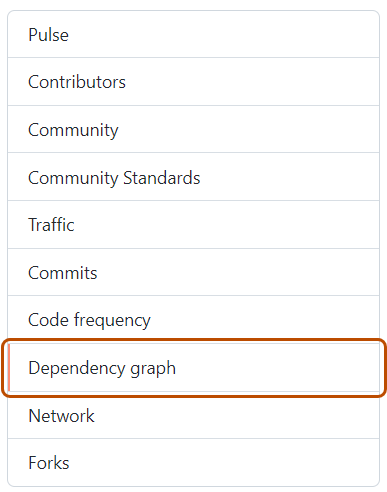
  3. 在左侧边栏中,单击“依赖项关系图”。

    “依赖项关系图”选项卡的屏幕截图。选项卡以橙色边框突出显示。

  4. 在“依赖项关系图”下,单击“Dependabot”。

  5. To the right of the name of manifest file that you're interested in, click Recent update jobs.

  6. Optionally, to see the full logs files for a particular job, click view logs.

    Screenshot of a Dependabot job log entry for the Gemfile package manager. A button, called "View logs", is highlighted in a dark orange outline.