Dependabot updates 실패하거나 예기치 않게 동작하면 작업 로그에 정확히 어떤 일이 일어났는지 표시됩니다. 종속성 그래프에서 작업 로그에 액세스하여 문제를 신속하게 디버그합니다. 작업 로그에 포함된 작업 로그 및 작업 GitHub 레코드 유형에 대한 배경 정보는 Dependabot 작업 로그을 참조하세요.
작업 로그 보기 Dependabot
Dependabot 작업 로그 목록은 리포지토리의 종속성 그래프 탭에서 액세스할 수 있습니다.
-
GitHub에서 리포지토리의 기본 페이지로 이동합니다.
-
리포지토리 이름 아래에서 인사이트를 클릭합니다.

-
왼쪽 사이드바에서 종속성 그래프를 클릭합니다.
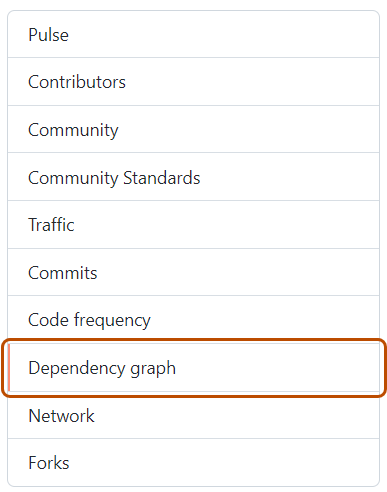
-
“종속성 그래프”에서 Dependabot 을 클릭합니다.
-
관심 있는 매니페스트 파일 이름 오른쪽에서 최근 업데이트 작업을 클릭합니다.
-
필요에 따라 특정 작업에 대한 전체 로그 파일을 보려면 로그 보기를 클릭합니다.


